
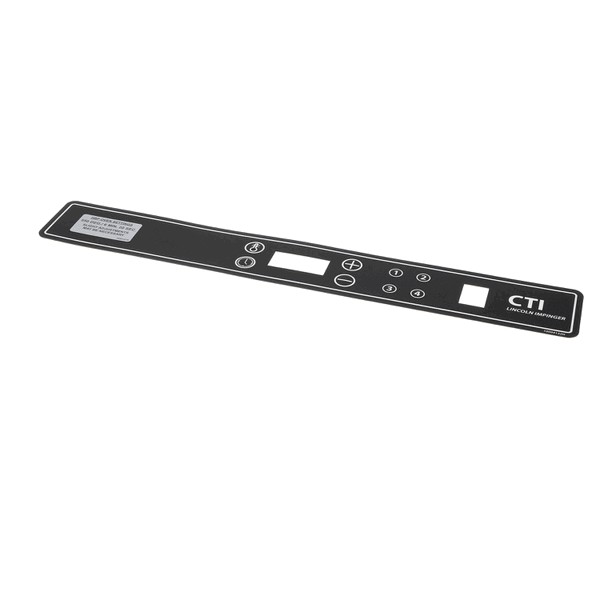

Lincoln 371108 Impinger Oven DCTI Membrane Switch Buttons
Specifications:
- Type: Membrane Switch Buttons
Description
This Part Fits the Following Models
4 modelsStep1: Disconnect oven from power supply and ensure it is completely isolated.
Step2: Remove front panel carefully using proper tools and store screws safely.
Step3: Detach old membrane switch buttons gently, noting connector orientation and wiring layout.
Step4: Align and install new membrane switch buttons ensuring connectors are firmly seated.
Step5: Reassemble panel, restore power, and test all buttons for proper function.
-
What maintenance is required for the Lincoln 371108 Membrane Switch Buttons?
Keep the button surface clean and dry to prevent buildup from affecting responsiveness. Confirm each button activates commands instantly. Verify menu selections register correctly and control inputs remain consistent during repeated operation without skipped entries or delayed responses.
-
What are common issues with the Lincoln 371108 Membrane Switch Buttons?
- Buttons not responding quickly.
- Commands registering intermittently.
- Menu selections skipping steps.
- Display input reacting slowly.
Customer Reviews
No reviews yet. Be the first to write one!
Write a Review
We strive to provide our customers with a hassle-free and efficient shopping experience. Our shipping policy ensures the timely delivery of your orders and complete customer satisfaction. View More
We are committed to ensuring your complete satisfaction with every purchase. We understand that circumstances may arise where you must return a product or request a refund. If for any reason you are not satisfied, you may return the item(s) according to the terms outlined below. View More
This Payment Policy outlines the terms and conditions governing all payments made for products purchased through our website. By making a purchase, you agree to be bound by this Payment Policy. View More