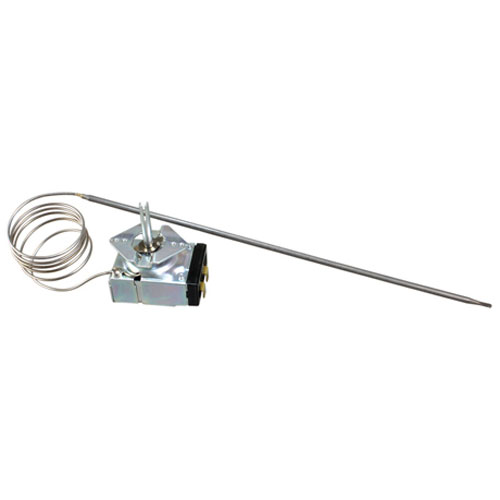
Tri-Star AS-340132 Thermostat Kxt Tristar
Description
Dimensions:
- Weight: 0.35 lbs
- Length: 13 in
- Height: 3 in
- Width: 2 in
Step1: Disconnect power supply and check equipment is fully de-energized before servicing.
Step2: Remove existing thermostat panel and note wiring positions for reference.
Step3: Mount Tri-Star thermostat in correct housing alignment securely.
Step4: Reconnect wires to matching terminals according to wiring diagram carefully.
Step5: Restore power, test temperature control response, and ensure stable operation.
Step6: Use insulated tools and avoid touching live terminals to avoid electric shock.
-
What maintenance is required for the Tri-Star AS-340132 Thermostat Kxt Tristar?
Regularly inspect and calibrate the thermostat to ensure accurate temperature control. Clean dust from terminals and housing to prevent interference. Check wiring connections and protect from moisture or overheating for safe operation.
-
What are common issues with the Tri-Star AS-340132 Thermostat Kxt Tristar?
- Inaccurate temperature readings due to sensor drift.
- Thermostat not switching on or off because of faulty contacts.
- Loose or damaged wiring causing intermittent operation.
- Overheating or failure from electrical overload or Low installation.
Customer Reviews
No reviews yet. Be the first to write one!
Write a Review
We strive to provide our customers with a hassle-free and efficient shopping experience. Our shipping policy ensures the timely delivery of your orders and complete customer satisfaction. View More
We are committed to ensuring your complete satisfaction with every purchase. We understand that circumstances may arise where you must return a product or request a refund. If for any reason you are not satisfied, you may return the item(s) according to the terms outlined below. View More
This Payment Policy outlines the terms and conditions governing all payments made for products purchased through our website. By making a purchase, you agree to be bound by this Payment Policy. View More